Moves you can put on air
Set a top speed and how much inertia the camera has. It eases into a move and glides to a stop, instead of snapping after every step the speaker takes.
Your Canon PTZ camera follows the person on stage, with moves smooth enough to put on air.
 Tracking
PTZ Tracker does its own person detection on your Mac and steers the camera over the network. It works without Canon's Auto Tracking licence, and you decide how fast and how smoothly the camera moves.
Set a top speed and how much inertia the camera has. It eases into a move and glides to a stop, instead of snapping after every step the speaker takes.
 Hold box
A hold box around the aim point keeps the camera still while the speaker gestures or shifts their weight. When they really walk off, the box collapses and the camera brings them back to the centre.
Choose Close, Medium, Cowboy or Full. The camera zooms once to frame the speaker that way, with a little room above their head, and tracking carries on. Works from the app or a Stream Deck button.
 Close
Medium
Cowboy
Full
Freeze the tilt and the camera follows the speaker across the stage without bobbing up and down. The horizon, the lectern and the back wall stay level, shot after shot.


 Lectern zone
Preset 1 after 2 s
Draw an area of the room, such as the lectern or the piano. When the speaker stays there, the camera moves to that preset over the seconds you choose, and cancels if they walk away.
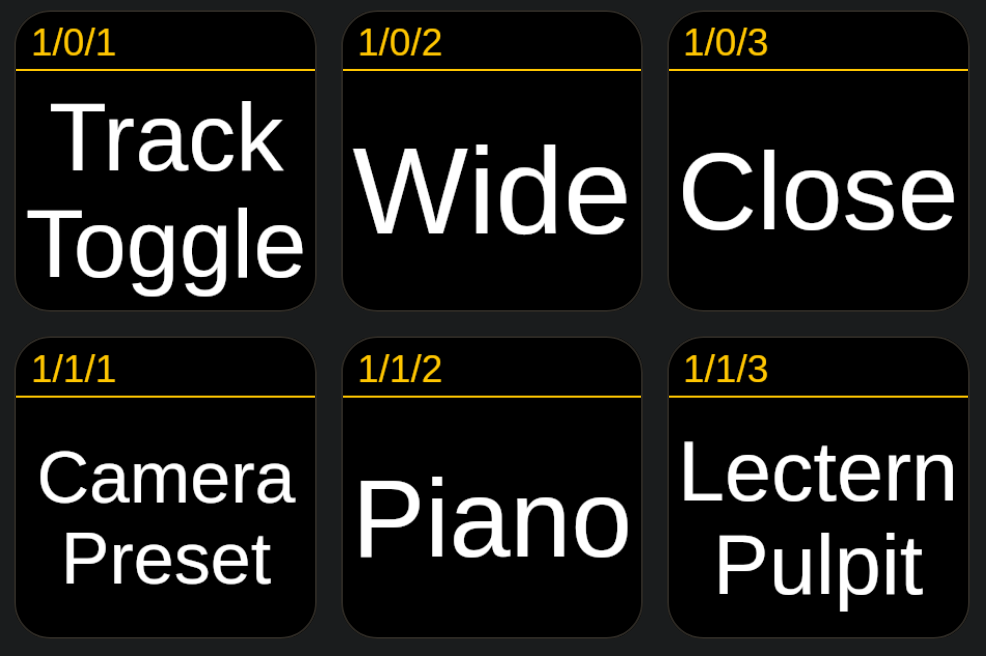
PTZ Tracker works with Bitfocus Companion, so Stream Deck buttons can turn tracking on and off, change the shot size and recall presets for each camera.
Every control is a web address, so any tool that can open a URL can drive it too.
Try everything free for 14 days first. Then buy once and keep it.
$149 one-off
For one Mac running your cameras.
$369 one-off
For venues with more than one control position. Saves $78.
$0 for 14 days
The full app, no key or card needed. Afterwards it carries on as a limited version: one camera, one zone and the main dials.
Download the trialPrices in US dollars. Any sales tax or VAT is shown at checkout. Need more Macs? Choose a quantity at checkout, or email us for a site licence.